ToDo: Everything
| This is a compilation of all todo lists on this wiki.
|
| Automation Progress: Pdf of Manual
|
Backlinks:
 Preliminary exploration of what tools are needed/available
- Reportlab (open source version) proved to be too limited. Rejected.
- In particular it will not do the page breaking for you. Instead you create canvases and draw to them, so you have to work out in your own code the size of everything.
- wxPdfDoc has similar limitations. It is a port of the PHP FPDF library, and low level. You are responsible for item positioning.
- QPDF explored. Rejected.
- QPDF is for low level PDF manipulation.
- QPDF is good for splitting/joining pdf documents.
- Because pdf is already a low level format QPDF is not suitable on its own. It would need to be used with something like Reportlab and reportlab won't do the sizing calculations.
- LaTeX path explored and settled on.
- LaTeX gives us a 100% text based file format.
- LaTeX is a fully professional document typesetting solution.
- LaTeX has an excellent stack-overflow like Q&A site.
- LaTeX is also the intermediate file format used by doxygen in going to pdf. This may help if we write a manual for developers at some future date, as class and in-code explanations are already extracted.
- I'm currently using MiTeX 2.9 for Windows (which includes pdflatex) as the LaTeX implementation package.
- pdflatex is well maintained and has sufficient coverage of the pdf features we need
- I'm using TeXMaker 5.0.2 for Windows (it's a LaTeX IDE).
- TexMaker can easily/quickly preview results which makes this LaTeX set up a good typesetting development environment.
- Extraction of raw-but-template-expanded text from our wiki via API.
- The key step was determination of our endpoint.
- Preliminary ordered listing of pages to extract
- Preliminary adjustments to alphamanual content to make it suitable for a book. For example:
- New page for Karaoke rather than buried in a menu page.
- Adjustment of Your-First-Recording to make it more suitable for an introductory piece of text.
- Work getting the manual into a good shape
- Upload raw Light theme button images (without the buttons) and make sure manual is using them.
- Create a template for toolbars that in particular adds the required grey border so that toolbar boundary does not disappear into the page.
- Recreate full and standard shortcut listing pages. Add fullshortcut template to allow one page to fulfill both roles.
- 2.2.0 Preferences/Menus images and image-maps and effect dialog images regenerated. Over 480 revised images uploaded.
- Scripted production of manual pdf
- Got feet wet with pdflatex using Mitex for Windows and TeXMaker
- Bug: sync files can stay open and may need deleting.
- Bug: TeXMaker may hang. When it does, it and pdflatex need to be killed by task manager, even though its window is closed. Otherwise TeXMaker won't launch.
- Basic experiments with page layout and page breaks. We can set margins, columns, and inter-column spacing.
- Writer2Latex plug-in for LibreOffice found and explored.
- Importing html and exporting LaTeX gives a LaTex intermediate format that is editable and experimentable with to get best results.
- A number of bugs with the writer investigated and worked around:
- Bug with parameter count in macro @Hy is caused by URLs with anchors in them. The # in the anchor must be escaped with a \. Writer does not do this.
- Bug with \newline when line not started can be worked around by putting ~\\ on the line before the \newline.
- Writer2Latex shows us some of the formatting tricks (LaTeX equivalents) needed to get html into pdf format. However it works from odt, not direct from html, and is not suitable for our eventual automation plan.
- Basic experiments with html2tex by Frans Faase.
- Have it compiling/running under MSVC.
- Fixed deprecated warnings and wchar_t issues.
- Fixed stack overflow bug (STACK_SIZE was not checked)
- First runs to create a usable pdf doc from NewFeatures.html.
- Images and tables were not available
- Hyperlinks come out as footnotes.
- Add in other pages, to show how chapters can be combined.
- Second stage to creating a usable pdf doc from NewFeatures.html using further modified html2tex.
- Images included, and sized correctly.
- Link information available.
- Mangling of html, removal of sidebar and contents div (beautifulsoup).
- My attempt to do this using html2tex showed up limitations in its design. It's a two-pass 'as you go' converter, with very limited ability to do structural edits.
- Investigated and created mangling code, in python, using beautifulsoup.
- Automatically remove all content we don't want from all files.
- Automatically fix up the bad-bracketting (may not be needed).
- Turns out it was needed, but not the full Rolls Royce solution, just specific work arounds.
- Remove need for html2tex, by doing its mangling in Python/beautifulsoup instead.
|
|
|
|
|
|
Stage 1 - No Images. No Links |
Stage 2 - With Images. |
Stage 3 - With Images and Links. |
Stage 4 - With ImageMaps too. |


|
|
|
|
Before - Ragged ends to chapters. |
After - Fixed. |


- Fix up import issues
- Work around MediaWiki tag order being broken, so removed ednotes break unordered lists.
- Fix warning symbols being treated as inline (character) elements, which look ssilly
- Collect several chapters into one - move all chapters down one level.
- Fix toolbar images coming out too far across page.
 Lots of fine-tuning
- Remove forward and back links e.g. in FAQ, which look silly
- Generate document references index using latex indexing.
- Abolish the 'alpahabetic' chapters by moving their topics into better places.
- Fix titles with images in them look fine in the document but funny in the toc.
- Fix Glossary entries don't link to wikipedia and icon too close to the text.
- Nice boxes for intros and warning.
- Special casing for a very few larger images (e.g. Toolbars overview).
- Special custom front page, based on current image.
- Wiki-Template to exclude certain content from the pdf.
- Indexing and Toc
- Index for all menu items
- Index for all glossary terms
- Table of contents we get 'for free', because we are using LaTeX.
- Ctrl+F Searching we get 'for free', because we are using text rather than images.

|
Table of Contents as seen in pdf reader |
Searching for 'Selection' in the pdf manual |


- Complete LaTeX error-free import of all pages, bar anomalies
- Tour Guide
- New Features and FAQ (top level)
- Entire FAQ
- All E's (Effects, Edit and Ext*) excluding two anomalies:
- anomalies Edit_Toolbar and Ext_Bar_Menu_Tools
- All F's
- All Tutorials
- All T's
- Glossary
- anomalies recording_length and track_control_panel_and_vertical_scale
- index.html page. This needs special customised version.
- quickstart page. This needs special customised version.
- Z, O and G
- All remaining letters.
- Image conversion
- Automatically include images (more tag handlers needed).
- Layout tweaks for images.
- Got feet wet with 'PIL' the python image manipulation package. (Pillow distribution).
- Size tweaks for images.
Example: Bad tooltips
|
|
|
Bad Tooltips - All tooltips open |

- ImageMap conversion
- Proof of concept using {stackengine} and {hyperref}. We can now hyper-link from rectangular areas in an image using a script to specify the regions.
- Convert image-map links from proof-of-concept to actual doc.
- href for single area.
- multiple hrefs.
- hrefs actually linking.
- Note that tooltips are a separate feature
- PDF readers do not consistently support tooltips.
- I can make tooltips that work in Adobe Reader, but in Chrome they always appear (and look terrible) and in FoxIt they only appear when you click.
- Conclusion: It is better not to do them. If there was a lot of demand we could do a with-and-without version.
|
|
|
|
Before - Image size and position wrong |
After - Fixed |


Versions:
- Nov 16 2017 - DraftManual2.2.0_v02.pdf available. This is the whole manual, except 4 pages. It looks basically good, though there are minor formatting issues. The live table of contents is a win.
- Nov 17 2017 - DraftManual2.2.0_v03.pdf available. Now formatted using Helvitica (sans) font rather than Times New Roman. Some unicode issues addressed.
- Nov 19 2017 - DraftManual2.2.0_v04.pdf available. Custom front page. Imagemaps working.
- I'm hoping it will reduce the overhead in tracking bugs and requests for improvements
- Gale 30Apr17: Very true about "only works if a developer is on the case". Thanks for being so.
- Customisable themes for download at Theming HowTo need updating.
Theme Tweaks Requested by Team
- Track border (1px above and left, 2px right and below) is always black, so invisible on High Contrast Theme.
- Banish the gray goo from the TCP, and use a stopwatch icon like or identical to the one in Classic theme.
- In Hi-Contrast make bigger + and - in the magnifying glasses, even if it encroaches on the magnifying glass frame.
- In Light Theme make + and - in magnifying glasses more prominent.
Visit the wiki page for more Theme Tweaks ToDo.
Bugs
- Changing theme with multiproject, only top/active window changes correctly. Needs restart to fix. bug 1715
- Small rectangular areas either side of the horizontal scroll-bar do not retheme correctly. Needs restart to fix.
- Old icon for record-append missing
- Will re-instate as an option.
- Tooltips for record-same-track and record-new-track don't update when user binds record-new-track to {{#replace:R|Cmd|⌘}} and record-same-track to {{#replace:Shift + R|Cmd|⌘}}
- Not a DA bug, but made more obvious by DA. Fix to be done for both record and play.
- Selection toolbar is inaccessible (does not respond to tabs normally and not read by Screen Readers)
- This is caused by theming the text. The fix is to support color warping (on/off) as an option, on by default. With color warping active, which will happen if the system theme is similar enough, Audacity will use the system settings for this control rather than faking it by new (colored) text items. That will be OK for VI and HI-Contrast users.
- On Linux there is no built in theme close enough to the default to allow color blending to work.
- This is what is still to do on Bug 1630. Will fix by reducing sensitivity.
- On Linux Classic theme, the buttons are posterized
- This is caused by color warping from Windows default (bright) rather than from old default (darker). It will be fixed by using a darker default in the theme and color warping that to light on Windows.
- In Hi-Contrast theme the meter numbers are the same color as the meter
- The fix is (a) to detect this special case and (b) draw a contrasting background behind the numbers in that case.
- The pip on Mixer board is not rotated
- Will fix. Wasn't a problem in DA which had a round pip.
- Mac buttons in dark theme don't look good.
- Will fix.
- Mac buttons in high contrast theme aren't high contrast buttons.
- Will fix.
- Midi select color does not match wave select color.
- Will fix.
- TimeTrack background color does not match wave track background color.
- Will fix.
- Color at right end of floating toolbars is always dark.
- Will fix.
- Right end of floating toolbars not redrawn immediately after a theme change.
- Also some other parts of the frame were not always repainting.
- Resizable floating toolbars shrink down to minimum size inside their frame, which stays the right size, on a theme change.
- Was not originally clear why.
- Toolbars lose their previous sizing, after visiting preferences and OKing.
- Aim to fix this.
- Note-tracks are not themed
- Will add an extra color for the zebra coloring.
- Spectrogram is not themed
- Will at least use the background colors in future.
- Graph labels in 'Plot Spectrum' are too light (in dark theme)
- Will fix.
- The Light theme uses the 'cotton reel' images for pinned/unpinned.
- Will be fixed as part of other work.
- The Dark theme uses the 'cotton reel' images for pinned/unpinned.
- Will be fixed as part of other work. Possible the pin and bobbin should have white surrounds rather than black, but black seems to work OK, so not an essential.
- Peter 19Apr17: Thanks for promoting this James.
- Peter 05May17: Looking good on Dark and Hi-Contrast where we now have the green and red triangles and the green and red drawing-pins/thum-tacks. Now consistent across all four current themes.
Lower Priority Bugs
- Negative numbers same color as normal, when scroll before zero is enabled.
- Peter 04May17: On my laptop screen I'm finding the blue numbers quite clear to see in both Dark and Hi Contrast themes - and of course in Classic and Light.
- James 04May17: Independently I had already decided on a lighter blue for Dark Theme. Probably it will be better for HiContrast too - but at this stage I'd rather someone who needs HiContrast works on improving that theme as I can't tell what is actually needed in it and what isn't.
- Gale 05May17: Even on my laptop built-in monitor where I have not changed the calibration, I could not read the dark blue. I can read the new light blue in Dark theme fine.
See the black circular bullet below for the next item? That's a good example why Wiki formatting is inadequate.
- Peter 05May17: The light blue for the negative numbers in Dark theme is a big improvement in readability. I can't really comment on Hi-Contrast.
 (reported) Sickly green color for unused-track backgrounds in Classic theme on Mac.
- Might have been a bug switching themes from hi-contrast which presumably has been squashed.
On W10 these two backgrounds look to be exactly the same - compared side-by-side in MS Paint.
@JamesWith a bit of effort I can probably create a similar comparison for the Mac coloring if you require.
- (reported) Play cursor vanishes (except against waveform) in hi-contrast theme on Mac.
- Could not reproduce this issue.
- (reported by Gale) Scrub ruler ends up the same colour as Timeline, in Light and Classic, after colour blending on Mac.
- Fix by adding a contrasting line. They will still be similar colours, but the zones will be clearly differentiated.
- With big fonts (e.g. in Linux) the sizing looks messy.
- Not a DA bug, but would be nice to fix it.
Improvement Requests
- The ruler bar color can not be controlled independently of one of the selection colors
- These colors need to be split.
- The time-text-control has lost the color distinction between numbers and units.
- These colors need to be split.
- Naming of some items in rearranged menus 'not as previously agreed'.
- There may be mistakes in that, and even possibly something that was there is now missing. A list here of the problem changes would help. Some changes were made for consistency and have sound reasons/arguments for them.
- Gale 24Apr17: It was the change from Store/Retrieve cursor or selection to Save/Restore. I changed it back.
- There may be mistakes in that, and even possibly something that was there is now missing. A list here of the problem changes would help. Some changes were made for consistency and have sound reasons/arguments for them.
Lower Priority Improvement Requests
- Focus box invisible on buttons in Dark theme.
- Focus box invisible on buttons in Hi-Contrast theme on PC.
- Focus box invisible on buttons in Hi-Contrast theme on Mac.
- Themes do not adapt (much) to system theme
- This is quite hard to do well, as mixing themes can lead to poor results, and it is hard for an algortihm to determine when to belnd and when not.
- Themes do not adapt (fully) to system theme
- This is a big chunk of work, and won't be in 2.2.0. It is most relevant to the Hi-Contrast theme where users may set individual colors for many aspects. Doing this well entails extending the color warping.
- Old themes not usable with new ImageCache layout.
- It's possible using an old debug build with EXPERIMENTAL_THEMING_PREFS to export as separate images, and then re-import with the new code, saving some work.
- Meter numbers can't be switched on/off
- Would be nice to have.
- The sync-lock icon has gone from the track display.
- Only gone in DA. It's till there in Audacity. It does not need to be brought back in DA, as the background change when there is a selection is enough, but if it is brought back it should do more than it did before - e.g. it should be a button to add/remove from sync-lock.
- Many corners of the interface are not themed.
- That is typically because they are controlled by the system theme. This has already been much improved by the blend-themes option, so that using Audacity with a system theme and related dark/light theme is better than it was.
- Mute/Solo buttons do not have a hover effect.
- Fixed by Paul with images by James.
- ImageCache.png is confusing. Part I reorganisation done.
- Unused dragger and other icons in ImageCache.png.
- Draggers and resizers still drawn 'by hand'.
Niggles
- Meter icons aren't actually buttons and highlight differently
- Might fix some time.
- Blue background on Hi-Contrast theme selected track-panel-info reduces contrast.
- Instead the surrounds for buttons should be differentiated, and that will give greater clarity that the track is selected. And a different selection color used.
- Cyan selection in Hi-Contrast theme reduces contrast.
- This is tough. Maybe a blue and not as saturated would work.
- RMS vs normal colors in Hi-Contrast theme reduces contrast.
- Also tough, though a much bigger color and brightness difference could be used.
- Circles are not centred in Hi-Contrast view
- Hi-Contrast was originally done as a proof of concept. Can be fixed later.
- Separate image for rotated pip for slider on Mixer board.
- The shadow should be below, not above, so can't just rotate the normal pip.
Other ToDos
- Themes (icons and colors), Menus, Sync-Lock, Stuck-in-Pause, Record-Beside, Pinned Icon.
- (adapted) TCP declutter.
With EXPERIMENTAL_DA
- Mute/solo are stacked in wave-tracks but not note-tracks
- Yep, ought to be made consistent. One thought is to use icons.
- Dark logo 'vanishes' into background on a dark toolbar.
- Needs e.g. a ring around it.
UnThemed
- In Light and Classic themes the yellow color of the displayed superimposed trackname on audio tracks is found by meny people to be too hard to read. The same color used on both Dark and High Contrast thems is easily readable. We should be considering assigning the superimposed trackname color to be a pert of each theme, enabling a color suitable for that theme to be chosen by the developer.
- Peter 23Sep17: Longer term we may wish to consider user-customizable colours for the superimposed trackname on audio tracks - possibly even the user to customize on a per tack basis instead of, or as well as, a global setting.
- Instrument colours 2 to 4 should be themed, and the default values certainly different for High-Contrast theme where the green is redundant and the black disappears into the background.
Image Cache Tweaks
- A number of people would like a lighter RMS colour in the orange wave in Dark theme.
- Make magnify-cursor right handed, and similar style to buttons.
- Lighter highlighting in TCP per Bug 1681
- Peter 20Jul17: Tests ok on Windows and Mac
- Highlight down for buttons as well as highlight up.
- Peter 20Jul17: Tests ok on Windows and Mac
- More visible highlight on Classic.
- Larger image for thumbs on sliders, so that we can have big thumbs on hover.
- Peter 20Jul17: On Mac I only see this on Light theme, not Classic or Dark. On Windows I don't see it at all.
- James 20Jul17: It's very visible on Hi-Contrast. Only the hover thumb is bigger, and it is its outline that is bigger. On dark, the dark outline makes the lighter center work better.
- Fix number 7 on Note track.
- Peter 20Jul17: Good on Mac now - not so good still on Windows
- On the Light theme, the graphics for labels have a dark blue fill, and black outline, which makes the outlines difficult to see.
- Help icon is crinkly (not strictly a theme issue, but can be fixed by putting the icon into the theme.)
Theme Code
- Use const on ImageCache data (by Henricj)
- Fix ensuing lib-path issue (by Paul)
- Invert selected label background and text on High Contrast (actually use custom colours, blue and white).
- Enable and tweak Paul's label-hover colouring.
- All cursor (line) colours themable
- Abolish many pens and brushes and use the dynamic one.
- Trawl all code for remaining hard coded images / colours.
- Rearrange cache to more logical order.
- Rearrange cache to more logical order Part I (remove dead images, and some reordering).
- Themable drop-downs for Device and Selection toolbars.
- Use black for numbers on Note track on the Dark and High Contrast themes. The MIDI note colours assume a dark colour for the font.
- In Note tracks (MIDI) most numbers on the channel toggles in the TCP are barely discernible in these two themes.
- Light Theme big-button hover to have up and down colouring to better indicate what will happen if you click.
- Dark Theme big-buttons to behave more like Light Theme, using split colouring.
Bigger Theme Projects
- Audacity uses raw images, if available.
- Raw images in github, and generate cooked image locally, e.g. for official release builds.
- Cooked image built in using RC (on windows) sections (on linux)
- Version migration scheme for themes.
| Automation Progress: "What is That?" Audacity Manual page
|
Backlinks:
- Initial work
- Initial experiments with javascript tools.
- Likely to use canvas.
- Repainting canvas completely looks to be fast enough that we don't need to be smarter.
- Proposal page set up with some mock ups.
- Design concept for annotation interaction properly worked out.
- Coding
- Png images captured for the very very basics.
- Image and manual-contents iframe positioned and sized.
- Sub areas (e.g. support annotation of buttons within toolbars, sliders within TCP)
- Drawing of menu bar menus.
- Refine menu bar clicking/highlighting.
- Basic linkage of regions to html.
- Linkage alternatives, e.g. 'Track Menu' has two targets.
- This affects tooltips. We have two tooltips with the same 'key', but they are matched up correctly.
- Capture local copies of wiki/manual html for right hand side-strip.
- Construct new top-level html side-strip content.
- Convert 20 Sample html pages to format for side-strip
- Convert remaining html pages to format for side-strip
- Convert 303.css to narrow format
- Regenerate with a modern capture of the manual, including the Extra menu pages.
- Spec file creation
- Python script for html file conversion for side-strip (using beautiful soup approach)
-
Python script for spec file creation (initial work is semi automated, semi by hand)By hand, but helped by automation. - Entry in spec file for Menubar. Added by hand, not automatic.
- Toolbar/Buttons Areas/Subareas Spec File
- TrackPanel Areas/Subareas Spec File
- Menus Spec File
- Spec files.
- Spec file containing the Audacity menu information.
-
Spec files for annotation locations.Compute annotation locations. - Spec file for main toolbar areas.
- Spec file for sub areas.
- Spec file for image cache.
- Auto generate caption list from spec file.
-
Compute slide location from area location.Add slide anchor names.
- Implement annotation arrows
- Basics.
- On faded panel.
- Smarter 'best' arrows. (compute edges to join).
- Hosting
- Name of subdomain discussed and agreed.
- Host it at wit.audactityteam.org
Snag List
- Reset does not work when in a menu item.
- Workaround whole-site caching issue. used a version number in the path
- Workaround CORS wiki caching issue. used a timestamp in the to-wiki request
- Menu image maps have approximate hotspots, the right width, but location can be out slightly.
- Toolbar and menu image maps require clicking around to generate them, prior to capture.
- Toolbar image maps may link to the 'wrong' item where two items like 'Cut' have the same name. (one cut is for audio, one is for labels).
Optional Extras
- Export for manual.
- Choose for-manual or for-WIT version of annotations.
- The menu layout changes between the two. The manual needs a more compressed format.
- Export Current image
- This works for toolbars, menus and the all-in-one numbered front page.
- Export Complete Annotation imagemap
- Export Complete Menu imagemap
- Export Complete Keyboard reference
- Export Complete Automation reference
- Dynamic loader
- Load menus from wiki
- Load tooltips from wiki
- Load extra shortcuts list from wiki.
- Load base image and boxes from wiki. Available but not used yet.
- Load url transmogrifications from wiki. Available but not used yet.
- Developer's version - jumps into code behind the feature.
- This is using a list of Doxygen SHAS to get to the doxygen documentation of functions in the menus.
- Many further extensions are possible to better support developers learning about Audacity.
- Experiment with what-is-that for Audacity architecture.
- This is based on AOSA book chapter.
- Styling with new website theme.
- Content
- Audacity preferences panels.
- All 3 regions in the status bar.
- (optional) Numbers on the main screen.
- Drawing of track menu and other context menus.
- More image maps
- A cleverer version of the code would also make switching between these images more natural.
- An image map that shows clips.
- Image map for MIDI.
- Image map for Time Tracks.
- Image map for Spectrogram, with spectral selection toolbar.
- Image map showing SHIFT + Transport toolbar
- Separately show general URLs and Doxygen URL.
-
Export files as zip (using zip.js)Support multiple (local) file downloads. It's as fast and more convenient. - Reset button. (Can also click on title bar instead).
Wishlist
- Pull manual pages directly from the wiki, rather than rely on a previously wiki2html converted copy as the base.
- Smarter CSS that handles both wide and narrow screens.
- (Optional) Push generated pages to the wiki, especially the tables like Automation and Shortcuts.
- Auto-walk the menu and toolbar image maps, to generate the hit regions correctly.
- Zoom-In images, where a click may take you into a new diagram with more detail.
- It is possible, and would be nice for this to be animated.
- This could also allow us to have toolbars closer to the edge, and still annotate them on both sides.
- Implement effects (transitions)
- Implement highlight boxes.
- Implement smooth scroll-to behaviour.
- Implement annotation fades.
- Implement transition effect for full-page help.
- Annotation system flexibility
- Fine tuning of annotation choices via wiki data.
- Annotations to side, not just above and below.
- Annotations in a circle around.
- Developer mode for more easily creating the annotations.
- Annotations measure and centre text.
- Greater flexibility in the menu generation
- Compact format for long-menus like effects.
-
Auto-detect menu being hidden, and reposition it.Ensure menu is drawn even if partly hidden. - Merge the menu system and the annotation label system by making both more flexible.
- Different styles of menu, such as sunburst
- User menu feature
- User can rearrange the menu using click, drag and textbox editing, and then download a spec file that states the new order.
- Shaped regions, not just rectangles.
- I'd like to do this with a colour-by-numbers approach as it makes producing complex diagrams much easier.
- Reverse linkings
- Clicking in the scroller updates what is selected in the image.
- Image (e.g. of menus) removed from the scroller page.
Discussion
Merger of static-wiki with WIT
All the image map diagrams in wiki could become dynamic WIT style image maps. Rather than have a WIT copy of the manual and separately an online static copy, they could be one and the same.
Developer's Version (content)
The manual image map succeeds because there is plenty of content in wiki to support it. You're drilling down not just into names, but into explanations of features. The architectural diagram is sparser. We should look at building up the developer section of the wiki, writing design topics in the wiki for each component of the system. Then we use WIT to provide navigation and a link direct into the doxygenated code.
| This page is for keeping track of bugs in Automation project.
|
Draft manual pdf v0.2
We are now at V0.4
- I'm also separating tweaks/changes which live in the engine and those that need custom work in the text
Page numbers are examples of issue for that version. For Auto-formatting, fixing one should fix all occurrences.
The current script is generic, in that it can/should convert any wiki, given a toc.
- Ensure the style is applied consistently in the wiki. (easiest when using templates)
- Provide LaTeX equivalents for the style.
- Include it in a conversion customisation file.
Fixes By Hand
- Custom front page needed.
- 2 wiki pages which did not import even after script changes need attention.
- Tweaking image sizes. For image families, this could be a mix of wiki custom classes and informing script about them, so both by hand and script to fix.
- Toolbar Overview image merits being full page width. p136
- Progress dialog does not need full column width. p382
- Would be nice to improve formatting of Idea, Warn, Alert. p18
- Would be nice to consistently use the same magnification for all menus, rather than sizing to fit the column width. p407
- Support more custom styles.
- Nyquist script should have its own format set off from other text. p367
- Remove forward and Back FAQ links (mark as not pdf). p100
- Remove links section of effects pages (mark as not pdf). p353
- Batch processing commands could benefit from their own style. p551
- Glossary entries could benefit from their own style. p556
- One-column style for GNU GPL. p562
- Help button in running text, either shrink it or make it a floating image with text flow around it. Beware, it is often in a bulletted list, so formatting may need to be list-aware. p8
- Mocked up snippets from dialogs, e.g. checkbox and drop down examples, lack the grey background. This should be a non breaking box, given some uses are currently line broken. p17, p56
- "This is a comment and will be ignored" got through into final doc. p457
- Long bullet lists should use tighter spacing. p483
- toc tweaks.
- Move 8 'Unsorted' sections into a more permanent home in toc.
- Drop experimental from-wiki table of contents page? p560
- Resolve unicode symbol unsupported in pdf issues, e.g. for Mac cloverleaf, by using images instead.
- Custom page breaking on some large images, e.g. of very long menus. p301, p466
- Image captions not bound to images, but rather placed in table cells, resulting in misplaced captions (e.g. for theme images), when the script breaks the tables apart.
- In wiki we sometimes have previews or summary tables prior to going into detail. That needs rethink/redesign for good looking pdf.
- Show Theme images just once in that chapter OR force thumbnail size where first mentioned. p481-482
- Show effects and their descriptions just once in that chapter OR provide a new diagram showing effect families where first mentioned. p312.
- Logo on p6 - just show it once in pdf.
Fixes By Auto-Formatting
- Imagemaps are not hyperlinked.
- Switch from Times New Roman to a modern sans font (Helvetica).
- Long lines overflow into next column. p100
- A possible solution is to auto-detect URL like things and apply LaTeX \seqsplit to them.
- URLs that link out of the document are not supported. Particularly relevant for the Wikipedia links in glossary.
- Hyperref supports these links being in a different colour, and I intend to do so.
- Empty first entry in some item lists. p31
Supporting Stuff
- Brief documentation on the html to latex pipeline
- Check conversion script and master doc template into our GitHub tools.
| Automation Progress: Image Script
|
Backlinks:
- Very basics of capturing effects dialogs automatically.
- Menu Image Maps. Generation of the images, the image maps, tooltips and links.
- Now includes the top bar.
- Now hides the ext menus, unless we are showing Ext-Bar or Ext-Command.
- Optionally generates template of menu description pages.
- Added customisable Redirects so we can go to arbitrary pages.
- Added support for creation of command list
- Added support for standard and full key-binding information.
- Added support for extra annotations.
- Capturing preferences panels automatically.
- Script to crop and upload 190 track images.
- Boy that would have been tedious by hand!
- Using image Magick, magick mogrify -crop 1000x1000+101+0 -path ../Output *.png
- Then use python pwb upload2 C:/dir/Output "Cropped Track Panels"
- The 'easy' way to get the images was to create three wiki pages for the different croppings, and then from a browser save-web-complete
- Annotation script
- Reasonably fast by-hand Inkscape image-layers approach found and used to date.
- Improved method using WIT
- Python (or other) test script to generate all manual images
- Menu category (C++ program)
- Menu category (more maintainable version in WIT)
- Button category (using theme file-export)
- Toolbar category (using screenshot-tools)
- Toolbar category (more maintainable AND annotated version in WIT)
- Dialog Category
- Effects Dialogs (using screenshot-tools)
- Preferences Dialogs (using screenshot-tools)
- Track Category (190 Tracks)
- WaveTracks
- LabelTracks
- Envelopes
- Python code to add cursor on, e.g for resizing cursor.
- Python code to add drop shadow
- Python code for tighter cropping.
- Add timing info to output
- Master script to coordinate the others.
- Amalgamate sequential-step captures, rather than regenerate.
- Web page report with all image track captures.
Optional
- Button mogrification (e.g. showing different button states)
- Other dialogs.
- If we need to script their capture urgently we can use AutoHotKeys.
- Refinement to screenshot tool
- Capture unions-of rectangles, Track1 + LowerDock.
- File name option, not just file path option.
- New All_Tracks and All_Tracks_Plus options.
- New code to avoid losing focus, which affects the screenshot.
Future
- The focus/hover effects aren't for this time round.
- WaveTracks | Hover effect on envelopes missing.
- LabelTracks | Hover effects on Labels missing.
- MIDI and Time tracks can only be done, currently, by loading existing projects.
- Can use cut and paste in demo scripts.
- Can't do MIDI or time-track edits
- MIDI Tracks
- Time Tracks
| Automation Progress: mod-script-pipe
|
Backlinks:
- Get working again and in Python (earlier demos were in Perl mostly)
- The python scripts are currently OK both on 2.7 and 3.6, as they are not using 3.x features.
- Bring Perl script up to date so that it is usable again.
- Make python equivalent of Perl script.
- Compiles / loads / runs, with python on Windows.
- Compiles / loads / runs, with python on Linux.
- Compiles / loads / runs, with python on Mac.
- The remaining issue on Mac is believed to be about placing the module in the right place where Audacity will find and load it.
- Complete implementation of the SetProjectInfo and SetTrackInfo command per wiki, now allowing optional parameters in a command.
- Document the extended GetProjectInfo, GetTrackInfo, SetProjectInfo, SetTrackInfo in the alphamanual.
- Diagnose and fix unicode issue leading to early termination.
- Allow spaces in parameter values using 'string' or "string".
- This was needed for filenames.
- It will be needed for labels.
- Start of recording-test script.
- Remove need for the '+' in 'w+' when running on linux.
- Auto-Documentation system for commands:
- Update Audacity so that a single definition of parameters suffices for get / set / defaults / validation / type info.
- Update Audacity to provide a GetAllCommands command, that lists commands with detailed JSON specs.
- Update WIT to reformat the JSON command spec for the manual.
- Produce automatic Automation Reference Page
- New Audacity commands (for test scripts)
- Design/refine commands and parameters
- Write
- GetMenuItems command
- GetCommands command
- GetCommands+ command (also gets solo-menu-items)
- GetBoxes command
- GetTracks command
- GetClips command.
- GetLabels command.
- Get preference parameter command.
- Select commands.
- Also select-from-end option.
- Also spectral selection.
- SetTrack command.
- Also colour, height
- Also grayscale, spectral-edit-enabled.
- SetClip command. (colour, T0)
- SetLabel command. (text, t0, t1)
- SetProject command part I. (window size, title, position)
- Set preference parameter command.
- Reload-Prefs checkbox working.
- Do the manual part of documenting them.
- Run the automated part of documenting them.
- Move commands to AudacityCommand so that they have prompting dialogs and can participate in Macros.
- Move DemoCommand
- Move ScreenshotCommand
- Move CompareAudioCommand
- Move SetTrackInfoCommand
- Move SelectTimeCommand
- Move SelectTracksCommand
- Move SelectCommand
- Move GetPreferenceCommand
- Move SetPreferenceCommand
- Move GetInfoCommand
- Move HelpCommand
- Move ImportCommand
- Move ExportCommand
- Move OpenProjectCommand
- Move SaveProjectCommand
- Fix extra commas in JSON.
- Allow optional parameters to NOT be defaulted.
- Fix CommandHolder destructor.
Optional
- Increase separation between AudacityCommand and Effect classes.
- System for returning responses to user, even when outside batch-mode.
- Response supporting JSON format
- Response supporting LISP format
- Response supporting Brief format
- AudacityCommand and Effect hierarchy to be made more an equal footing.
- I'm using mixins, which both hierarchies use, rather than making one derive from the other.
- GetInfo: Boxes to include Track Control Panel buttons.
- It's a nice to have, but not essential to the automated images created by WIT.
- Enhancements to the JSON
- Use the internal description strings, where available, in the JSON
- Include indication of 'optional' for fields which are optional.
- Enhancements to the Nyquist format
- "(list" and rearranged label format much closer to label production format.
- DefineParams() for existing Nyquist effects.
- DefineParams() for existing LADSPA effects
- Without this, effects don't advertise their parameters.
- Fix crazy automation IDs for Tracks->Align-Tracks, which contain colons and & making them unusable for scripting.
- Screenshot Command extensions, for first 2, 3 and 4 tracks.
- Screenshot Command extensions, for tracks with ruler.
- Screenshot Command extensions, for all-tracks, with and without ruler.
- GetInfo: Type=Preferences
- GetInfo: Type=Envelopes
- SetEnvelopes:
- Help button on Automation dialogs.
- Cancel button on Automation dialogs (and X to behave as Cancel rather than as Apply).
- Fix Bug: Tone currently running as Chirp from batch. No derived-parameters support.
- Case insensitive command name matching.
- Count by channels or by Tracks, when doing SetTrack, SetClip or SetEnvelope.
Super Optional
These are even more optional, because they can already be done some other way.
- GetInfo: Keycodes command.
- Optional, because the information is already available from GetInfo: Menus.
- SetClip to be able to move a clip to a new track.
- Optional, because we can use cut and paste to get the same result.
- SetProject command part II. (set zoom, hscroll, vscroll)
- Zoom and hscroll can already be set by making a selection and then zoom-to-selection.
- vscroll can be done using DragCommand - though it's a very fiddly workaround.
- Extend use of DefineParams() function.
- Optional. It just makes for shorter cleaner code.
- Discussion with Paul about code vs data approaches. Also consistency across menus and dialogs.
- Generate default vanilla config dialogs from the DefineParams functions.
- Auto-generate validators that are picked up automatically by ShuttleGui.
Future
- (hard) Modify ResponseQueueTarget to provide intermediate results as we progress.
- Fix crazy thread-loop instantiation of the ExecCommand function. That loop only needs to execute once.
- Move BatchEvalCommand and MessageCommand to AudacityCommand.
- These two are used to transfer data and responses, so converting them means dismantling more code
- Improved error handling and reporting.
- Design the strategy
- Write
- Document
| Automation Progress: Wikibot
|
Backlinks:
- Got feet wet with PyWikibot.
- Use Python 3.6, as 2.7.x has unicode issues with some scripts. On wiki use special pages to set up a bot password. Authentication set up and working.
- PyWikibot upload2:
- Now can upload multiple image files 'whilst having a coffee'. Over 100 image files uploaded. No longer necessary to baby sit.
- Pywikibot replace:. 'fixes' are their term for patterns used to make changes.
- Custom fixes added for replacing spans and lists with our equivalent templates.
- Custom fix done to introduce i18n template in place of the flags. Script ran through 1068 pages, once to replace and once to consolidate running for 8 hours in total.
- Examples and comments in PyWikibot replace are in Hungarian.
- Getting the fixes working right is mostly about correct escaping. You must use r strings, and it is vital to escape [ ] | ( ) characters.
- For our use we typically need the (.*?) weak repetition in wildcards rather than strong.
Page to track technical debt
|
Internal Technical Debt
- Very messy sizer code. Solve with ShuttleGui
- No NAKED NEWS! We leak too much.
- Consistent exception handling.
- Test and handle all error-returns.
- Todo comments in code for error returns.
- The GetLink() story
External Technical Debt
Libs (all platforms)
- Communicate wx3 workarounds back to wxWidgets
- wx3.1.0 will soon be available.
- LAME libs upgrade. More secure version available.
- LAME patents have expired. Must consider moving to bundling it.
Mac
- Carbon deprecated. Upgrade.
- High Sierra issues.
Linux
- New Linux formats AppImage, Snaps and Flatpack gaining traction. We might need to consider.
Windows
- Supporting 64 bit at all requires newer compiler. (Henric has done work, so this should go smoothly).
- Update to handle new i18n template.
- Adjust so that manual does not need to be prepped.
- It should no longer necessary to set the manual out of alpha mode, nor remove the development manual header.
- Instead do this from inside the script.
- Rewrite as two stages - one to pull the files and one to do the transformation
- Second stage can use beautifulsoup, as the wiki2tex script does.
- This will be more maintainable, and the same kind of knowledge will be needed for either.
- Include option of compressing images, so that we don't need to use polish to reduce the size.
- Include option of pulling specific language versions.
| This page attempts to identify times when a user can easily get stuck in a mode and not know what to do to get out of it
Users often:
|
Contents
Stuck in a Mode - Bear-Traps
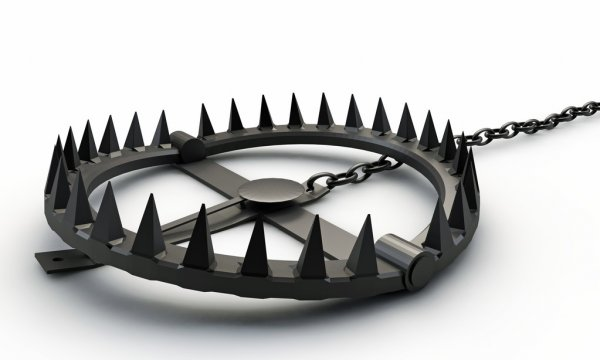
This potential new menu item may help some users. It would display 'Fix' buttons for some of the common stuck-in modes (if that mode is active).
- Sound-Activated Recording
- Sync-Lock
- Snap-To
- Stuck-in-Tool. Wave moves and selection no longer works. Solution will be proper implementation of multi-tool.
- It's too easy to click the buttons unknowingly, worse still, the shortcuts for switching tools in the Tools toolbar are all single keystrokes F1 though F6 (plus A and D when Full set is selected) which makes it far to easy for the inexperienced user to press these and not understand why their view of the waveform has changed and why stuff doesn't work.
- Peter 03Sep19: we get far too many users caught in this simple bear-trap (which also wastes Forum-elves' time hauling them out). Latest example today: Forum post.
- Snap-To. Why can't I select in smaller units than a second?
- Zoom in far enough and snap-to is cancelled (in DA) which is how most users try to get out of it.
- Peter 03Aug19: BUT it is not fixed for normal Audacity (nor does it appear fixed in DA either) - I shall log a bug for this
- Logged as P3 Bug #2210 - Selection fails at high zoom levels when Snap To is on
- Zoom in far enough and snap-to is cancelled (in DA) which is how most users try to get out of it.
- Stuck-in-Sound-Activated-Recording.
- The amelioration could be done via Quick-Fix menu, but there are probably other improvements that could help.
- Seems to be pretty common. One recent (Jan 2017) user even realized they were stuck in sound activated recording, and set the volume to -59dB to work around it.
- Another recent user asks 'Why does my recording keep starting and stopping?'.
- Stuck-in-Scrub.
- We have three ways of invoking scrub/seek: Transport menu, Scrub Ruler and Scrub Toolbar. None of them invokes a form of scrubbing familiar to users of other audio or video editors - and it is too easy to get stuck, too hard to escape from. Redesign (and simplify) the GUI - make it so that releasing the mouse action for scrubbing just stops the scrub - rather than leaving you adrift in scrub mode.
- This has been ameliorated from 2.3.1 onwards, where the Scrub Ruler has been turned "off" by default.
- We have three ways of invoking scrub/seek: Transport menu, Scrub Ruler and Scrub Toolbar. None of them invokes a form of scrubbing familiar to users of other audio or video editors - and it is too easy to get stuck, too hard to escape from. Redesign (and simplify) the GUI - make it so that releasing the mouse action for scrubbing just stops the scrub - rather than leaving you adrift in scrub mode.
- Stuck in overdub.
- Overdub is on by default. Newbies usually don't need overdub turned on (unless they are very bold and start our straight off doing multi-track overdubbing). Although we are a "Multi-track editor" - overdubbing is a somewhat advanced piece of functionality. Turn overdub off by default.
- Stuck with no FFmpeg library
- Stuck trying to create custom shortcuts. It doesn't work!
- Peter 03Sep19: actually it does work - it's just rather complicated - and too easy to not make your changes stick.
- GUI is a mess.
- Click on the command entry
- then you have to click on (or tab to) the input box
- type your chosen shortcut (and deal with conflicts if necessary)
- Click
- Click
- The big problem is that the user (Peter: often me included) mistakenly think that "does what it says on the tin" and makes the setting - but no. You have to use OK to set the set (If you just X out of the dialog after step 4 you lose your setting(s) made in that dialog session).
- Sync-Lock. Why am I getting all those clocks? Why can't I edit clips individually?
- More to do to make a more intuitive sync-lock that does not use clocks.
- Peter 03Sep19: I'd like to be able to select a group of adjacent tracks, have a command to sync/lock them - and draw a bold rectangle around them to show the sync-locked grouping. Much better that delimiting but label tracks underneath.
- Consider longer-term solutions for Vertical Zoom
- Consider a VZoom bar OR major overhaul of zooming for rulers.
- Time limited recording
- When a selection is present (track selection or Timeline selection), using Record New Track (or when using Timer Record) Audacity will only record for the duration of the selection
- This could cause users to lose valuable unrepeatable audio data
- James suggested showing the Timer Record progress dialog to indicate a timed recording as a visual cue
- We may need a new dialog for this, allowing the user to interact and change the end-time on the fly
- Labels can have spectral selections applied to them in their data set
- These can be (or rather become) invisible to the user
- There is no real use-case that has ever been supplied for storing spectral selections with labels
- As an edge case you can even have a spectral range assigned to a point label
- Accidentally nudging the Pan or Gain sliders
- Can cause unintended, unnoticed at the time, audio corruption. See Proposal Locking and/or Hiding Pan and Gain sliders
- now logged in GitHub as Issue #2404 https://github.com/audacity/audacity/issues/2406
Other PITAs
- Broken fragmented project
- Many users try to open the .au files - many users lose data through renames and other, external to Audacity, manipulations.
- Solution Proposal Unitary Project
- Orphan blockfiles
- We shouldn't really be getting these - but when we do users are confused about the courses of action offered to them in the dialog.
- The error/warning dialog was always overly scary - and confused/startled users, making them unsure what to do
- Solution Proposal Unitary Project - we should no longer be getting these orphan blockfiles with UP
- Users can lose carefully created toolbar layouts
- Export in Macros
- In Macros "Export as ..." relies entirely on the settings that last time the menu command was used (or default settings if command never used.
- We need parameter settings for the Export command(s) in Macros
Completed
- No easy way to reset config files
- Stuck-In-Pause. None of my effects will apply any more.
- Pause now is over-ridden if the user tries to select and apply an effect or other edit
- Select-less. All my effects are grayed out.
- They aren't now, and they prompt you to make a selection.
- Scrub ruler.
- It's far too easy for the unwary to inadvertently click in the Scrub Ruler and get stuck in Scrubbing (see below). So it should be off by default. Scrubbing is easily "discoverable" via the menu - and the Scrub Ruler is "discoverable" and capable of being turned on in or via the Timeline context menu. so we don't need it on by default.
- From 2.3.1 the Scrub Ruler has been turned off by default.
- It's far too easy for the unwary to inadvertently click in the Scrub Ruler and get stuck in Scrubbing (see below). So it should be off by default. Scrubbing is easily "discoverable" via the menu - and the Scrub Ruler is "discoverable" and capable of being turned on in or via the Timeline context menu. so we don't need it on by default.
- Stuck in Type to create a label
- It is too easy to inadvertently create a label with this as the current default is on. In checked "on'" should not be the default.
- Stuck in Show metadata tags before export
In - folk often don't know how to turn it off. Suggest an off switch in the metadata dialog on export.
- Peter 02Nov18: This has been discussed many times (including on the Forum) - it's such a simple fix, why don't we just get on and do it? It surely can't be a contentious thing to do (it would certainly benefit me while QA testing).
- Stuck with no LAME library
- A lot of folk still have trouble locating it - and Buanzo's site has nasty misleading ads with BGBs. Now that the patents have expired we should be able to integrate LAME.
- From 2.3.2 onwards LAME is buit-in with Windows and Mac builds.
- A lot of folk still have trouble locating it - and Buanzo's site has nasty misleading ads with BGBs. Now that the patents have expired we should be able to integrate LAME.
- EQ curve management
- Currently there are two independent curve management options in the Equalization effect. The user is unsure which to use - there should only be one.
- See also: P3 Bug #1722
- Fixed for 2.3.3 with the two new EQ effects replacing Equalization
- Using "Save as..." switches Audacity from the current open project to the saved-as project (which could be the staged safety copy)
- Fixed in UP-3.0.0 with the new Backup Project command
- V-Zoom. Help! My waveform has disappeared.
- It is quite common for users to activate vertical zoom by inadvertently clicking in the vertical ruler - and then being unable to understand how to restore normal vertical zoom
- Short term amelioration
- Two modes for for VZoom
- Simple (default): no left-click zoom, right-click delivers a context menu
- Advanced/Expert: left-click zoom-in and range zoom via drag as 2.2.1 and earlier, right-click delivers a context menu
- Stuck in pinned playhead/recordhead mode. It is not "discoverable" as to how to return to unpinned:
- Hovertext tooltips are restricted very locally to the playhead-type icon at left of Timeline
- Hovertext tooltips are poor
- No Timeline context menu command to toggle playhead type
- Right-click on the pinned head fails to launch a context menu (it wrongly, according to established GUI guidelines, allows click&drag like the left-click)
- No preference for setting playhead type
- See Bug #2357
- See https://github.com/audacity/audacity/commit/ce085afb3b30a7a0487219f3a417a00b367618d5
- The right context menu is now shorter and has pinned/unpinned in it.
- Two menu items have moved to interface preferences (timeline)** The pin-unpin button now makes a pop-up menu whether right or left clicked.* The menu is now in the right place.
- The pop up menu now uses checkboxes rather than the text changing.
- Mac (and Linux) users stuck with "Audacity is already running" - when it clearly isn't. This is P4 ENH 2052: Mac/Linux: Lock file location
- Rendering a single track unnecessarily moves it to the bottom of the project thereby losing membership of any Sync-Locked Track group and unnecessarily rearranging the user's project layout. See Bug #2214.
| This provides a checklist on progress on the Website Project
|
ToDo
- New Audacity icon designed and agreed.
- New Audacity font and coloring to go with icon designed and agreed.
- New icon applied to all websites and to Audacity.
- Basics of new WP theme designed and agreed.
- Basic new WP theme deployed.